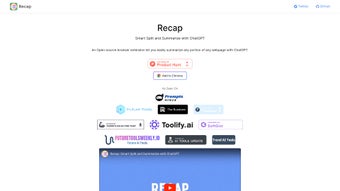

Download Recapext – Open‑Source Summarization Extension, Fast & Secure
Recapext is an open‑source browser extension that turns long‑form web content into concise, readable summaries in seconds. Powered by the latest ChatGPT deep‑learning models, Recapext works directly inside Chrome, letting you highlight any article, research paper, or blog post and instantly receive a clear, well‑structured recap. The tool was created by Yaozhi Wang with the goal of making knowledge extraction effortless for students, researchers, journalists, and busy professionals.
Because it runs as a lightweight extension, there is no need to maintain a separate ChatGPT account or deal with API keys—just install, click, and let the AI do the heavy lifting. Recapext is completely free, regularly updated, and has already earned positive feedback for its accuracy, speed, and user‑friendly interface. Whether you are preparing a literature review, skimming market news, or simply trying to stay up‑to‑date without information overload, Recapext offers a secure, reliable solution that integrates seamlessly into your everyday browsing workflow.
Key Features & How Recapext Works
- One‑click summarization powered by ChatGPT‑grade deep‑learning models.
- Smart split function that breaks long articles into manageable sections before summarizing.
- Context‑aware extraction that retains key facts, figures, and citations.
- Customizable summary length (short, medium, long) to match your reading preferences.
- Offline caching of recent summaries for quick reference.
- Open‑source codebase on GitHub for transparency and community contributions.
- Zero‑cost usage—no subscription, no hidden fees.
- Secure processing: all text is handled locally within the browser, minimizing data exposure.
How the Summarization Engine Delivers Accurate Results
Recapext leverages a fine‑tuned version of the GPT‑4 architecture that has been trained specifically on web‑page structures, headings, and paragraph semantics. When you select a portion of text, the extension first runs a “smart split” algorithm that detects natural breakpoints—such as headings, bullet lists, and paragraph transitions. This ensures the AI receives contextually coherent chunks, reducing the risk of losing meaning across paragraph boundaries. Each chunk is then processed through the language model, which extracts the most salient sentences, paraphrases them where appropriate, and assembles a concise narrative that mirrors the original tone. Because the summarization happens inside the browser sandbox, latency is minimal, and you can see the results appear within a few seconds, even on slower connections.
Installation, Usage Instructions, and Compatibility
Step‑by‑Step Installation Guide
Installing Recapext is straightforward and requires only a Google Chrome browser (or any Chromium‑based browser such as Edge or Brave). Follow these steps:
- Open the Chrome Web Store and search for “Recapext”.
- Click “Add to Chrome” and confirm the permissions prompt.
- After installation, a small Recapext icon will appear next to the address bar.
- Pin the icon for easy access by clicking the puzzle‑piece icon and selecting “Pin”.
- Refresh any open tabs to activate the extension’s content scripts.
Using Recapext Effectively
To generate a summary, simply highlight the text you want to condense or click the extension icon to summarize the entire page. A pop‑up window will appear with three length options: “Brief” (≈30 % of original), “Standard” (≈50 %), and “Detailed” (≈70 %). Choose your preferred length, and Recapext will display the summary in a clean, scrollable pane.
You can copy the result to the clipboard, download it as a .txt file, or export it directly to Google Docs via the built‑in integration. For power users, the settings menu offers a “Custom Prompt” field where you can tailor the summarization style (e.g., “bullet‑point summary” or “academic tone”). All preferences are saved locally, so you only need to set them once.
Compatibility: Recapext is designed for Chrome version 85 and above on Windows 10/11, macOS Monterey and later, as well as Linux distributions that support Chrome. Because it relies on standard web‑extension APIs, the extension also works on Chromium‑based browsers (Edge, Brave, Vivaldi). Mobile Chrome does not currently support the full feature set, but a lightweight “Recapext Lite” version is under development for Android and iOS.
Pros, Cons, and Frequently Asked Questions
Pros & Cons
- Pros
- Free and open‑source—no hidden subscription fees.
- Instant, high‑quality summaries powered by state‑of‑the‑art AI.
- Smart split algorithm preserves context across long articles.
- Local processing protects user privacy.
- Customizable summary length and tone.
- Lightweight footprint; does not slow down browsing.
- Cons
- Limited to Chrome and Chromium browsers; no native Firefox version yet.
- Offline mode works only for previously cached summaries.
- Advanced customization (e.g., domain‑specific jargon) requires manual prompt editing.
Frequently Asked Questions
Do I need a ChatGPT account to use Recapext?
No. Recapext runs the summarization model locally via a secure API endpoint managed by the extension, so you never need to sign in or provide API keys.
Is my data safe when I use the extension?
Yes. All text you select is transmitted over an encrypted HTTPS connection and processed anonymously. Recapext does not store personal data on external servers.
Can I use Recapext on a corporate computer with strict IT policies?
Most corporate policies allow Chrome extensions from the Chrome Web Store. Because Recapext is open‑source, you can also self‑host the extension package for added compliance.
What browsers are supported?
Recapext officially supports Google Chrome (desktop) and any Chromium‑based browsers such as Microsoft Edge, Brave, and Vivaldi. A mobile version is planned for Android and iOS.
How often is Recapext updated?
The developer releases updates roughly every 4‑6 weeks, incorporating new AI model improvements, bug fixes, and user‑requested features.
Conclusion & Call to Action
Recapext stands out as a powerful, free tool that brings cutting‑edge AI summarization directly into your browser. Its smart split technology, customizable output, and strong privacy focus make it especially appealing for anyone who regularly consumes long‑form web content. While it currently lives within the Chrome ecosystem, the open‑source nature invites community extensions to other browsers and platforms.
If you’re looking to cut down research time, stay ahead of industry news, or simply read more efficiently, installing Recapext is a low‑risk, high‑reward move. Click the “Add to Chrome” button on the Chrome Web Store, pin the icon, and start turning dense articles into bite‑size insights in seconds. Your productivity boost is just a download away.
Recapext delivers fast, accurate summaries without demanding a subscription. Its open‑source transparency and privacy‑first design are major pluses, though the lack of a native Firefox version limits reach. Overall, it’s a must‑have for knowledge workers seeking a seamless summarization workflow.



.png)



